Ship Faster with Cursor Without Tech Debt
Part of the Cursor guide: a reading order, rules you can copy, and a cost estimate.
Table of Contents
Cursor can make you look like a hero on Monday and a liability by Friday.
I’ve watched senior teams ship three features in a week with it. I’ve also watched the same teams spend the next two weeks cleaning up half-baked helpers, mystery config, and PRs nobody wants to review. Speed is easy. Speed that still looks like your codebase a month later? That’s the hard part.
I’m Aris Setiawan – senior full-stack for 13+ years, first Cursor Ambassador in Indonesia, and a MiniMax Dev Community Expert. I use Cursor on client work every week. I also mentor developers through Level up on how to use Cursor AI without turning the repo into a junk drawer.
This isn’t a feature tour. It’s the Cursor AI workflow I actually run when the code has to ship, get reviewed, and stay maintainable.
The real problem: AI makes you fast and messy
Most “AI coding” advice stops at “prompt better.” That’s incomplete.
The failure mode I see most often isn’t a bad model. It’s a weak process:
- You ask for a feature. Cursor drafts half the app.
- You skim. Tests are green-ish. You merge.
- Two weeks later nobody knows why that new utility exists, why auth was touched, or why the same fetch logic now lives in three files.
That’s not a Cursor problem. That’s an ai coding workflow problem. The tool accelerates whatever habits you already have. Clear habits get clearer. Sloppy habits get expensive.
If you’ve felt that tension – “we’re shipping faster, but reviews hurt more” – this post is for you. Same goal if you’re evaluating Cursor for a team or cleaning up your own day-to-day: ship production code without wrecking the codebase.
For the debt angle in more detail (I wrote it in Bahasa first), see Technical debt on AI-built apps.
What a good Cursor workflow actually optimizes for
A useful Cursor for developers setup doesn’t optimize for “lines generated.” It optimizes for three things at once:
- Speed – less time stuck on boilerplate and glue.
- Reviewability – a teammate can understand the diff in one sitting.
- Maintainability – the change still makes sense in six months.
If you only chase #1, you get demos. If you also protect #2 and #3, you get production.
That tradeoff shapes every step below. I’ll happily spend ten extra minutes scoping a change if it saves an hour of cleanup later. That’s the whole game.
My default workflow: plan → scope → generate → review → test → commit
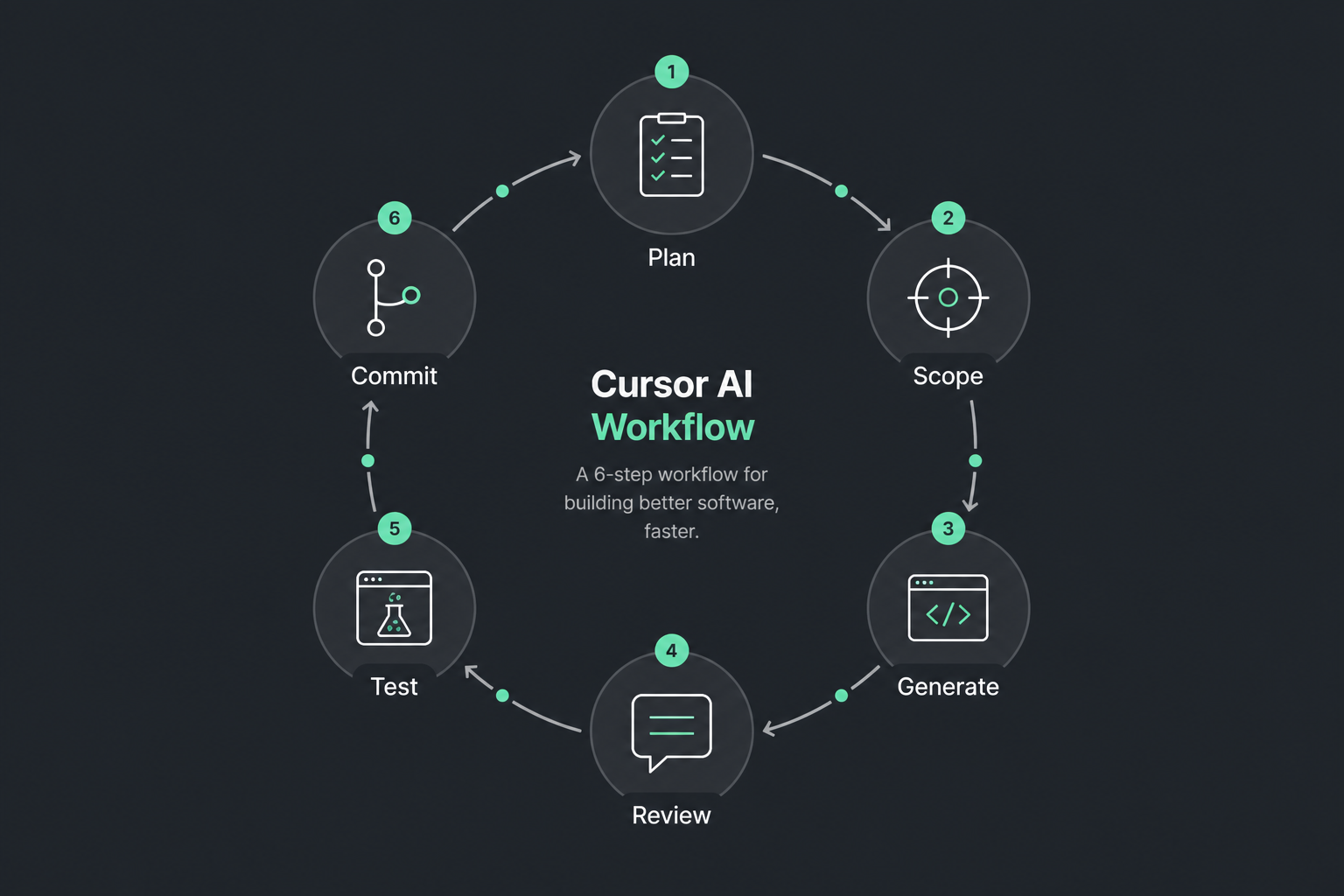
Here’s the Cursor AI workflow I default to on real client code. It’s boring on purpose. Boring ships.
1. Plan in plain language (before you open Composer)
I write a short plan in chat or a scratch note:
- What user-facing behavior changes?
- Which folders am I allowed to touch?
- What must not change (auth, billing, migrations, public API)?
- How will I know it worked (tests, manual checks)?
Example:
Add CSV export on the invoices list. Touch only
app/invoicesand the existing export helper. Don’t change payment webhooks. Acceptance: unit test for CSV rows + manual download on staging.
If I can’t write that in five sentences, I’m not ready to generate code. Cursor is great at filling gaps. It’s terrible at reading your mind about product constraints.
2. Scope the change on purpose
I open the relevant files myself. I @ the paths I care about. I don’t dump the whole monorepo into context “just in case.”
Why? Broad context invites broad diffs. Narrow context invites local, reviewable patches.
Rules of thumb:
- Prefer one vertical slice over a repo-wide “improve everything.”
- If the task needs a shared utility, say so. Don’t let the agent invent a parallel one.
- Call out files that are off-limits. Explicit “don’t edit X” saves painful reverts.
3. Generate in small passes
I use agent/Composer for implementation, but I keep the blast radius small:
- Pass A: types + function signatures + failing test (or a clear checklist).
- Pass B: implementation to make the test pass.
- Pass C: wire-up (UI, route, job) only after the core logic is solid.
Big one-shot prompts feel productive. They also produce the PRs that make reviewers sigh. Small passes keep you in control.
When I ask for code, I ask for constraints, not vibes:
- Match existing patterns in nearby modules.
- Reuse helpers; don’t create
utils2.ts. - No drive-by refactors.
- Prefer boring, explicit code over clever abstractions.
4. Review like the AI is a fast junior
This is non-negotiable. I treat every AI diff as untrusted until I’ve read it.
My review checklist:
- Does this change match the plan – and only the plan?
- Any new dependencies I didn’t ask for?
- Duplicated logic that already exists in the repo?
- Error handling consistent with our style?
- Secrets, env vars, or logging that shouldn’t ship?
- Naming that matches the domain language we already use?
I read the diff file by file. I don’t approve everything because the summary sounded confident. Confidence is cheap. Correctness is not.
5. Tests and a real run
Unit tests if the logic matters. Integration smoke if the path crosses services. And I still click through the happy path myself.
AI is good at writing tests that assert what it already wrote. That’s useful, but incomplete. I add at least one case that would fail if the behavior were wrong – empty input, permission denied, weird timezone, the thing that bit us last quarter.
6. Commit with a human message
Commit messages still matter. I write them as if Cursor wasn’t involved:
Add CSV export for invoices list with row-level tests.
Not:
Updated files via AI assistant for export feature improvements.
Your future self (and your teammates) will thank you.
Rules and project context that prevent dumb diffs
Cursor gets smarter when the project has opinions. I keep a small set of rules and project notes that act like guardrails – not a novel.
What I put in them (keep it short):
- Stack and package manager noted in project rules.
- Stack note: Next.js with Vitest.
- Folder conventions under src/features.
- Prefer existing UI primitives.
- Focused unit tests for new modules.
- Ask before risky schema work.
I also lean on codebase context when I’m unsure where something lives. Pointing Cursor at the right module beats a long prompt that guesses architecture.
If the project has docs, I pull those in when the task touches that area. Not every prompt needs the whole wiki. Auth, billing, and data models usually do.
Good rules don’t make Cursor brilliant. They stop it from being randomly creative in the wrong places.
How I use chat vs agent/Composer differently
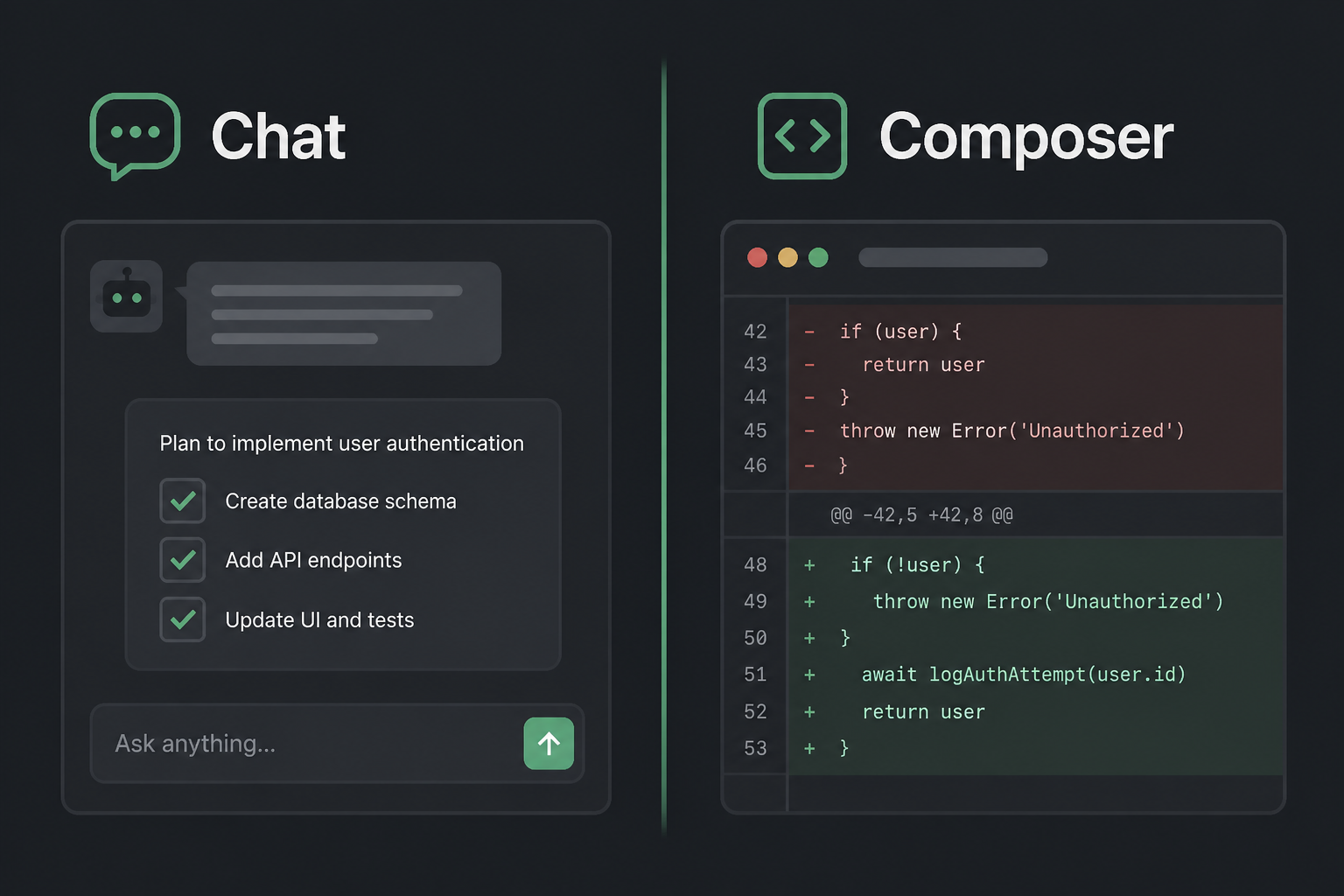
People ask me for a Cursor AI tutorial that maps tools to jobs. Here’s the simple split I use.
Chat – thinking partner
I use chat when I need:
- Architecture options (job vs request-time export?)
- Debugging help with a stack trace and two suspect files
- Explaining an unfamiliar module before I touch it
- Reviewing a plan before I generate code
Chat is for decisions. I want tradeoffs, not a huge patch yet.
Agent / Composer – implementation muscle
I use agent/Composer when:
- The plan is clear
- The file set is scoped
- I want an actual diff I can read and test
Agent mode is for execution. I still stay in the loop. If it wanders into unrelated files, I stop it, tighten the prompt, and restart from a cleaner scope.
A pattern that works well:
- Chat: agree on approach.
- Agent: implement the smallest slice.
- Chat: review the riskiest bits.
- Agent: apply the fix only to those bits.
That’s an AI coding workflow, not a magic button.
Team habits: what we accept (and reject) from AI
Solo habits don’t scale. Team habits do.
What I push teams toward:
- PR size caps. If the AI-generated PR is huge, split it. Reviewers shouldn’t need a weekend.
- Explain the non-obvious. Comment in the PR why a weird approach was chosen – especially if Cursor suggested it.
- No silent refactors. Formatting-only or “while I was here” cleanups belong in a separate PR.
- Own the code. The author is responsible for every line, AI or not. “Cursor wrote it” is not a defense in prod.
- Shared rules. Put conventions in the repo so everyone gets the same guardrails.
What we reject even if tests pass:
- New abstractions with one caller
- Copy-pasted modules that already exist under a different name
- Broad dependency upgrades bundled into a feature PR
- Auth or payment changes without a second human pair of eyes
If your team is adopting Cursor, align on this before you celebrate velocity metrics. Velocity without review standards is just faster debt.
Curious about plans and usage costs while you roll this out? Related reading (Bahasa): Cursor IDE pricing notes.
When mentoring helps vs when you should hire Build
Not every team needs the same thing.
Choose mentoring / Level up when…
- Your developers already ship, but AI output is noisy
- You want a shared Cursor AI workflow across the team
- People are stuck in “prompt, paste, hope”
- Leads want review habits that survive after the coach leaves
That’s what Level up (Vibe Code Friend) is for: tutoring, pairing, and practical guardrails on your codebase – not toy demos.
Choose Build when…
- You need a product or feature delivered end-to-end
- Timeline matters more than teaching the team right now
- You want AI-assisted delivery with a senior owning architecture and quality
That is the AI development path – and the broader services hub if you’re still sorting Build vs Level up.
Honest take: mentoring compounds. Build unblocks. Plenty of clients do Build first, then Level up so the team can maintain what shipped. Either order is fine. Mixing them without a clear goal is not.
More about me and how I work with remote teams: About.
Mistakes I see (and made)
I’ll keep this blunt.
1. Prompting for the whole feature in one go.
You get a tour-de-force diff. Nobody reviews it properly. Bugs hide in the middle.
2. Letting Cursor invent architecture mid-task.
If the repo already has a pattern, enforce it. New patterns need a decision, not a surprise.
3. Skipping the human plan.
“Make checkout better” is not a task. It’s a wish.
4. Trusting green tests from AI-written tests alone.
Tests that only mirror the implementation will nod along while production burns.
5. No off-limits list.
Without boundaries, agents helpfully rewrite shared packages.
6. Measuring success only by commits per day.
I care about time-to-merge and time-to-revert. If reverts go up, your workflow is lying to you.
I’ve made versions of all of these. The fix was never “use a smarter model.” It was a tighter loop: plan, scope, generate, review, test, commit.
A short example of the loop in practice
Say I need a rate limit on a public API route.
- Plan: Redis-backed limiter, 60 req/min per IP, 429 with existing error shape. Touch only the public API routes and the shared middleware helper.
- Scope: Open the route file and existing middleware. Tell Cursor those are the only targets.
- Generate: Ask for the helper, wiring, and a unit test for the 429 path. Explicitly reuse the existing Redis client if one is already in the repo.
- Review: Check key naming, fail-open vs fail-closed, and whether local/dev is exempt.
- Test: Unit test plus hit the route with a quick script.
- Commit: One focused commit. PR description lists the fail mode we chose.
That’s how to use Cursor AI on production work without drama. The tool did the typing. I owned the decisions.
Closing: ship faster, keep the codebase boring
Cursor is a force multiplier. Force multipliers don’t invent taste. You do.
If you want a practical path:
- Write a five-sentence plan.
- Scope files on purpose.
- Generate in small passes.
- Review like a skeptical senior.
- Prove it with tests and a real click-through.
- Commit like a human who cares about the next reader.
Do that consistently and your Cursor AI workflow starts compounding – fewer messy PRs, faster reviews, less AI-shaped debt.
If you want help installing these habits on your team, that’s exactly what Level up is for. If you need the feature built with a senior in the loop, look at AI development / Build or the full services page.
Ship fast. Keep the codebase something you’re willing to maintain on a Monday morning.
—
Want your team shipping with Cursor like this?
I set up project rules and a review habit on one of your real repos, then help the rest of the team adopt it. English or Indonesian.
Get Cursor mentoring for your team

