Grok Bot: what the xAI app is and what it can do

Table of Contents
Grok Bot is an app from xAI, at x.ai/bot. You give a named Bot a job. The Bot works on a cloud computer, and it can open the tools you already use.
I am Aris Setiawan. I ship Next.js for client work. I wanted to know what this app does before I signed it into my accounts.
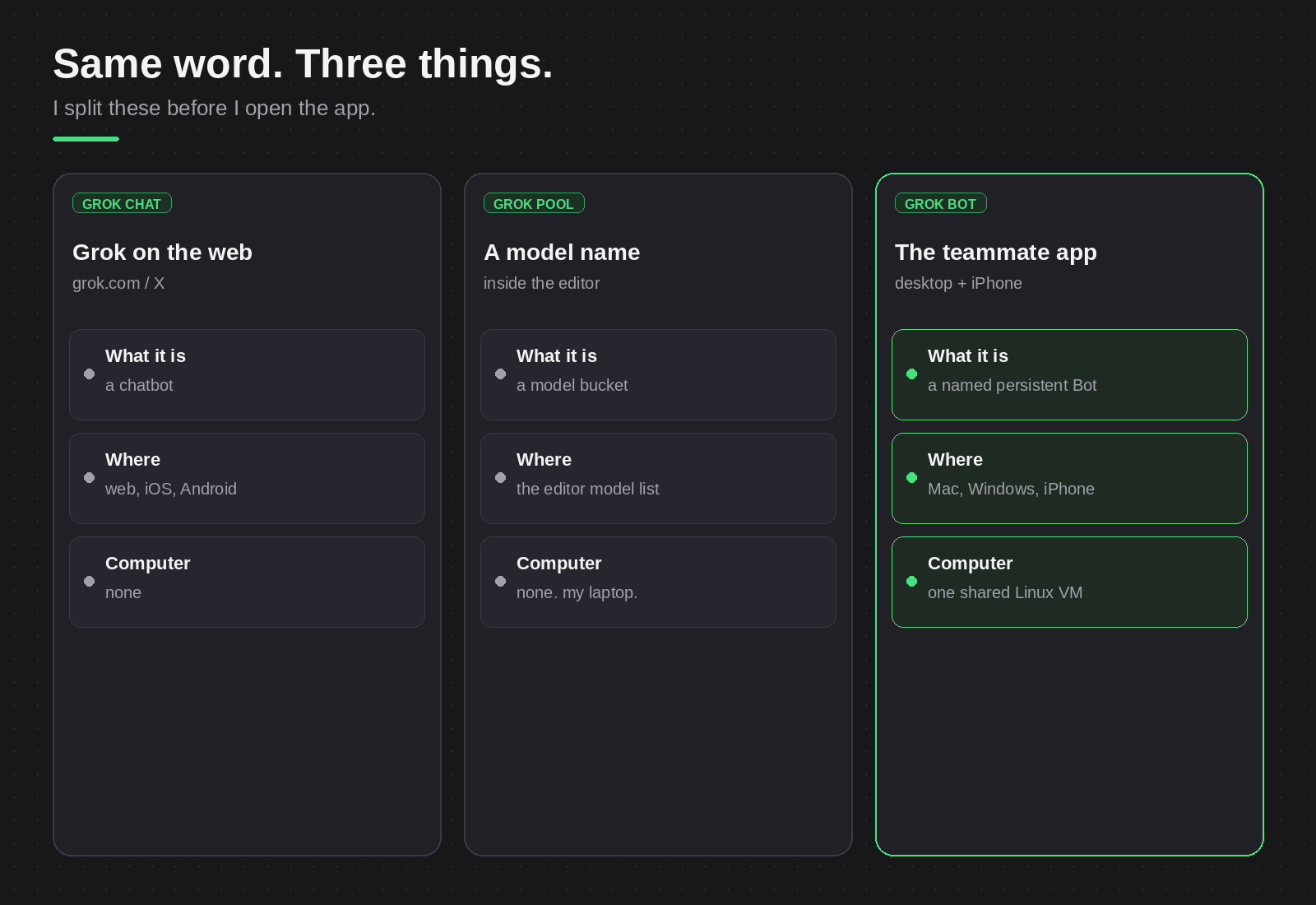
Same word, three products
The Grok chat on grok.com and on X answers what you type. In Cursor, Grok is a model name in the model list. Grok Bot is a third thing: an app that does work on a computer.
The app runs on Mac, Windows and Linux. Linux builds come as a .deb, .rpm or AppImage package, for x64 and Arm64. Phones and tablets need iOS 18, iPadOS 18 or Android 9, or a later version.
What it is
You name a Bot and you give it work. The Bot can use a browser, a command line, files and connected tools.
All Bots on one account share one computer. Browser cookies and signed-in sessions are shared too. The docs say that separate Bots are not a security boundary.
Some tools connect as apps. The app installs them as plugins from Connect apps. For a tool with no connector, the Bot uses the website in the browser.
Some steps come back to you. You type passwords, two-factor codes and CAPTCHAs through a computer takeover. Purchases and financial transfers need your approval.
An approval does not reverse work that is already complete. Read that line before you sign a Bot into your email.
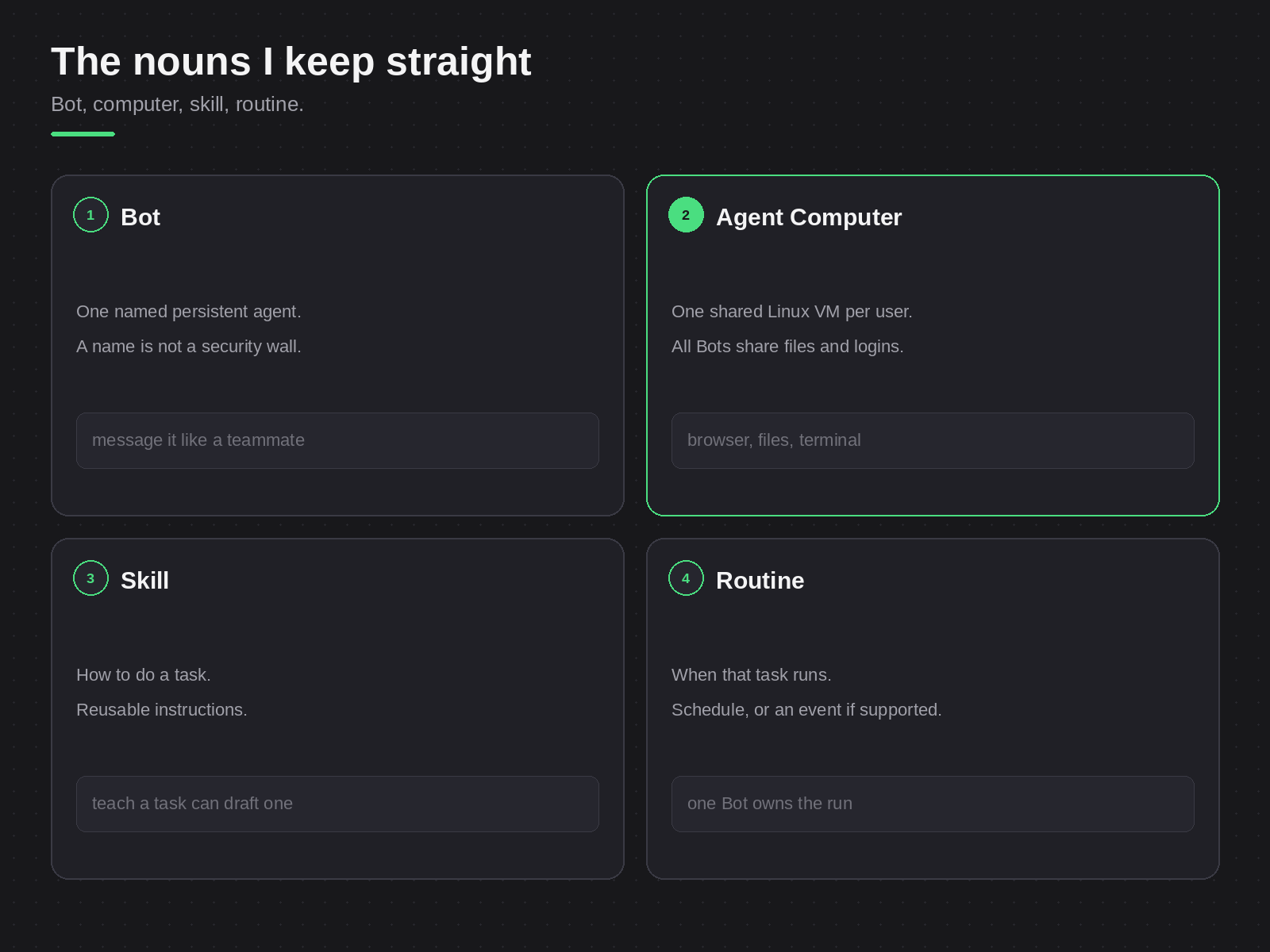
A skill describes how to do a task. A routine tells the Bot when to run. I do not schedule a task before I see it finish once.
Access and plans
xAI launched Grok Bot in beta on 11 Aug 2026.
Grok Bot uses Cursor authentication. Grok Bot is not sold alone. On The X Subscription, Premium, Super and Ultra include Grok Bot. Plus and Free do not include it.
SuperGrok is a separate subscription. You can link it to a legacy Cursor plan. Legacy paid Cursor plans also include Grok Bot.
For teams, two paths include Grok Bot. One is a team seat on The X Subscription. The other is a legacy self-serve Cursor Teams plan. Enterprise access goes through an admin or account team; check with sales.
What I read
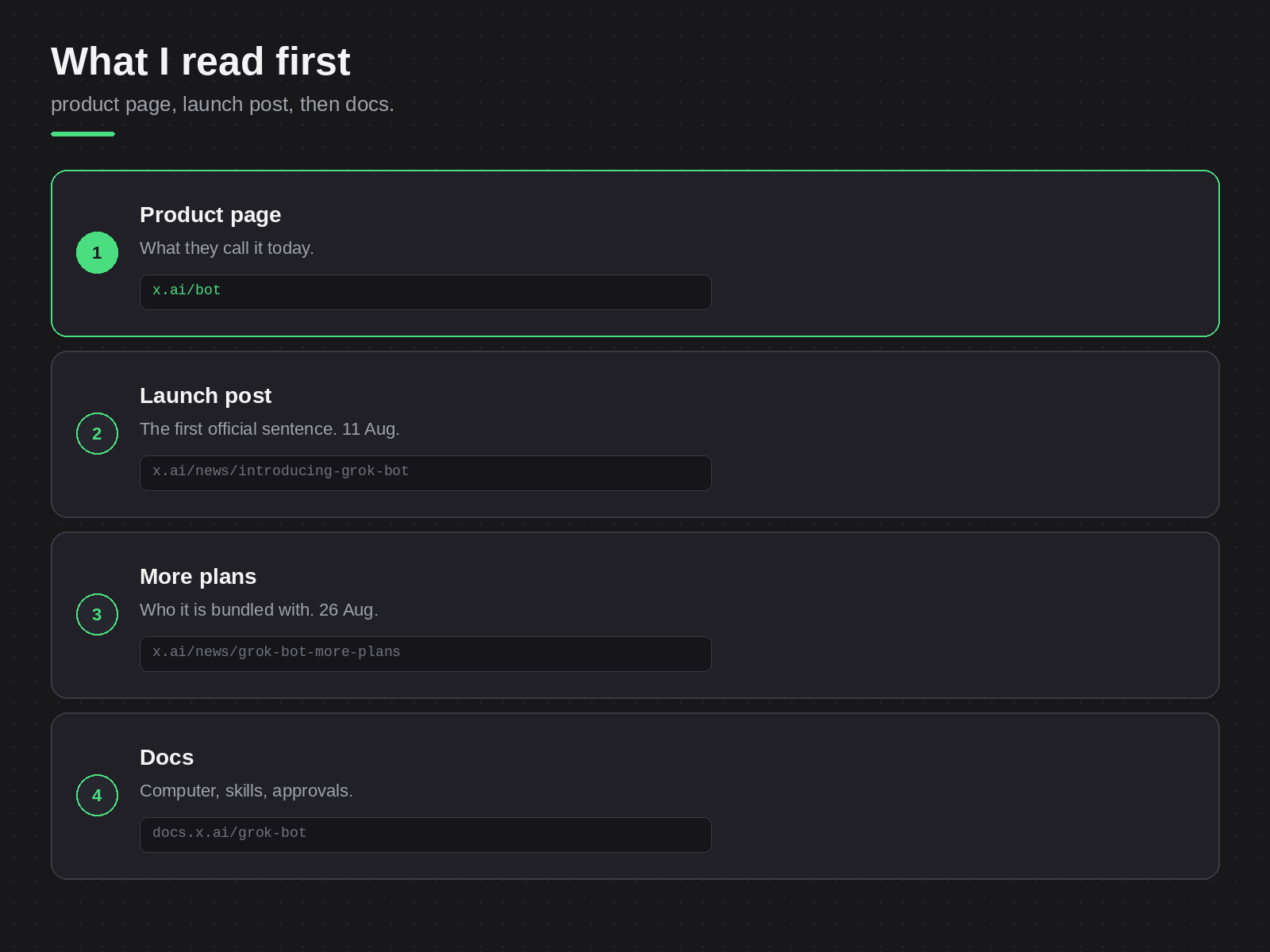
I started at x.ai/bot. Then I read the launch post from 11 Aug, Introducing Grok Bot. The access post from 26 Aug is Grok Bot is now included with more plans.
For the shared computer, I read Computer and apps. For logins and approvals, I read Approvals, security, and privacy. The FAQ has the platform list and the plan details.
Last checked: 24 October 2026.
All Bots on your account work on one shared cloud computer. Treat them as one desk. Today, open the FAQ and check that your device and plan are on the list.
Need this built instead of read about?
Send me your project. I reply within 24 hours and tell you plainly whether I’m the right fit.
Send me your project

