Next.js App Router in Practice: Production Patterns

Table of Contents
I use Next.js App Router as a route tree I can explain, not a React SPA wearing a Next badge.
Server Components stay the default. A page gets a layout, a page, and the files that catch loading and errors. A client boundary appears only when a click or a form needs the browser. If I cannot walk a cache miss after a write, the route is not done.
In my previous guide on what I open when someone asks me to hire a Next.js developer. This post is the other side: the App Router I actually keep in app/.
The offer page is Hire a Next.js developer. This is the practice, not the docs tour.
The route tree I keep
I start in app/. Not in a components/ dump.
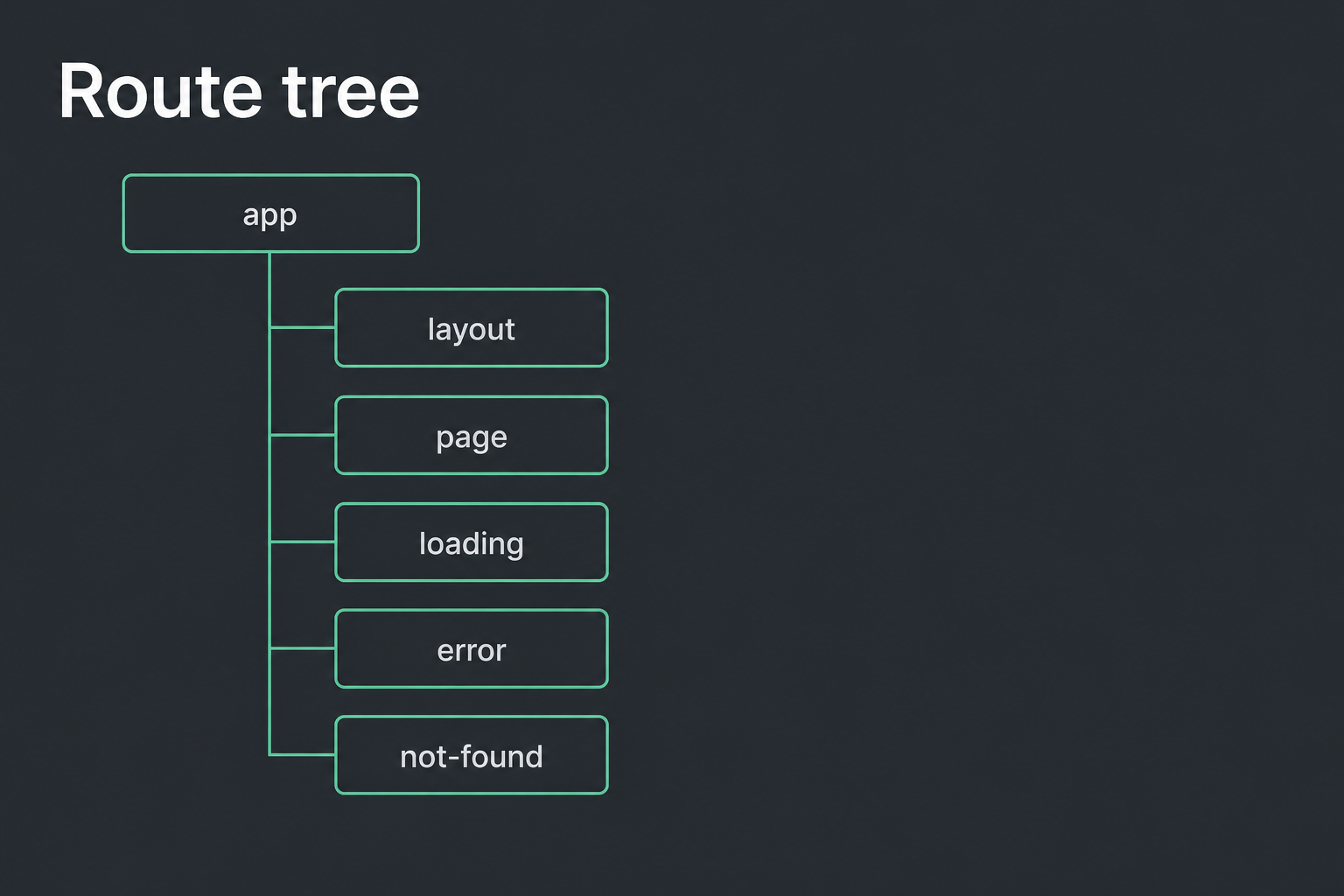
Each folder is a URL segment. layout.tsx wraps the children. page.tsx is the segment. loading.tsx, error.tsx, and not-found.tsx sit next to them when that segment can stall, throw, or miss.
I do not invent extra folders to look tidy. If a segment does not need its own loading state, I do not add the file. Empty ceremony is how App Router turns into a maze.
Route groups, the folders with parentheses, stay for shared chrome that should not change the URL. I use them when marketing and app chrome need different shells. I do not nest three groups because a tutorial did.
Server first, then a client boundary
A new file is a Server Component unless I write 'use client' at the top.
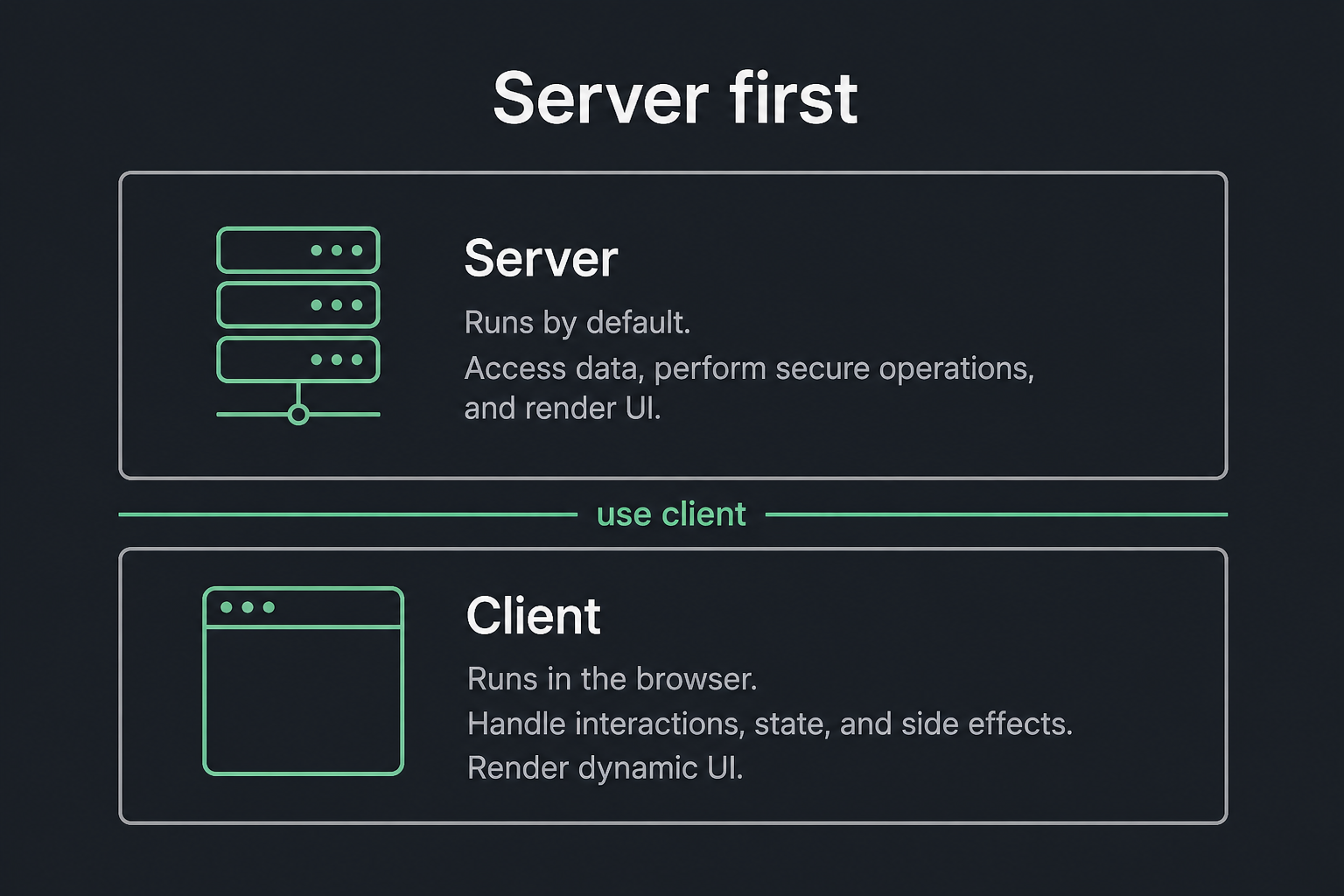
That is the whole rule. Fetch, cookies, headers, and the first render stay on the server. The button that opens a dialog, the input that needs local state, the chart that must live in the browser: those go in a small client file. I import that file into the server page. I do not flip layout.tsx to 'use client' so I can use useState everywhere.
I have inherited apps where every page is a client tree. They work until you need a cached list, a session cookie, or a form that should not ship 200kb of hooks. Undoing that is slower than writing the boundary the first time.
If I cannot point at the file that crosses into the browser, I do not ship the route.
Data I can explain
I pick one list page and I write down three things: where the data is fetched, how long it can stay, and what busts it after a write.
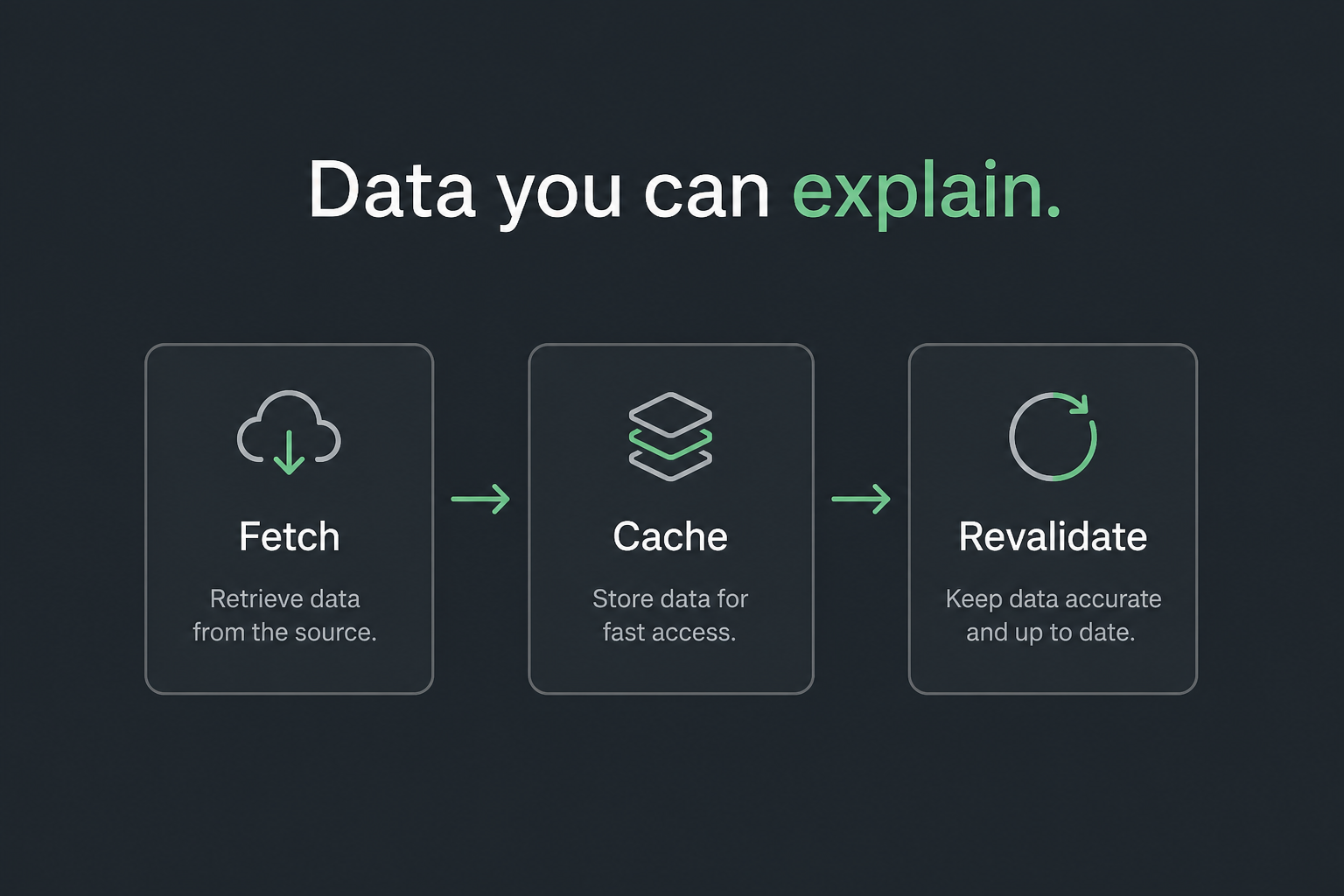
fetch in a Server Component, a revalidate window or a tag, and a path or tag I can call after the write. That is enough for most product lists.
I do not cache a page that reads a session cookie and then act surprised when two users see the same dashboard. Auth and cache have to be in the same sentence. If the page is private, I say so in the fetch, or I do not cache it.
Route handlers stay for webhooks, cron, and the cases where a form cannot be a Server Action. I do not open a new route.ts because I miss Express.
Metadata and the bits I still touch
Titles come from the route metadata or generateMetadata. I set them on the page that owns the URL. I do not stack a layout title and a page title and hope they do not double. I already fixed that class of bug on this site.
Forms that create or update a record use a Server Action when the work is ours. The action revalidates the tag. The list page updates. If I cannot say which tag, the form is not finished.
middleware stays thin: auth redirect, a header, a rewrite. Business logic does not live there.
What I skip
A root layout marked 'use client'. That is a SPA with extra steps.
A Pages-only habit on a new app. Pages still exists. I still touch it on old repos. I do not start a 2026 product there.
A cache I cannot walk. If the only answer is “Next handles it,” the page will go stale on a launch day and nobody will know which file to open.
I also skip the version argument. App Router in production is the practice. The badge on a job post is not.
What I will take
I take scoped App Router work: routes, auth, cache, metadata, the boring parts that break. If you need a bench next week, I will say so.
If you want this owned on your product, that is the work on Hire a Next.js developer. Send the repo or the ticket.
Next in this series is App Router vs Pages: when I still touch Pages.
Need this built instead of read about?
Send me your project. I reply within 24 hours and tell you plainly whether I’m the right fit.
Send me your project