What Is PHP? A Plain Introduction for Website Owners
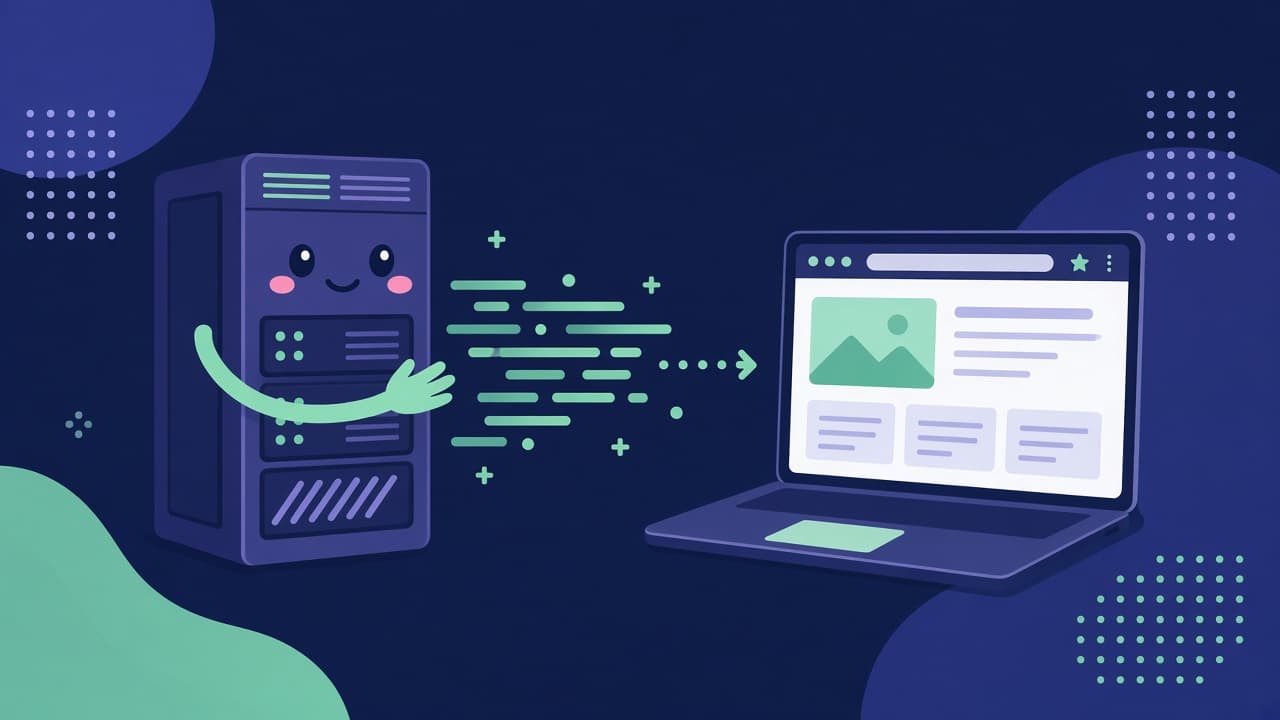
Table of Contents
Your developer says the site “runs on PHP”, your hosting panel has a PHP version dropdown, and a search for “what is PHP” mixes in pages about the Philippine peso. So what is PHP, in plain words, and should you care which version you run?
This post is about PHP the programming language. I will keep it practical: what it is, how it turns code into a page, what a PHP file looks like, and how you can run one on your own laptop in a few commands.
What is PHP, exactly?
PHP is a recursive acronym for “PHP: Hypertext Preprocessor”, which is the kind of name only programmers find funny. The PHP manual uses that name.
Rasmus Lerdorf created PHP in 1994. In June 1995 he released the source code of “PHP Tools” to the public. The original name was “Personal Home Page Tools”. The PHP history page has the full story.
PHP is open source. Current PHP uses the Modified BSD License (PHP License v4), and older releases used PHP License versions 2.01 to 3.01. The PHP license page has the text.
Two groups have a formal role. The PHP Group holds the copyright and publishes the license. The PHP Foundation funds and guides core developers. A wider community of contributors does core work as well.
How does PHP turn code into a page?
A browser asks a server for a page. The server runs the PHP code for that page, PHP builds the response, usually HTML, and the server sends that HTML back. The browser never sees the PHP code. It only sees the result, which is why “view source” on a PHP site shows HTML and nothing else.
PHP can run in more than one way, and two names come up often:
- CLI. The PHP manual says the CLI “is for developing shell applications”. You run a PHP script from a terminal, with no browser involved.
- PHP-FPM. The manual calls FPM (FastCGI Process Manager) a primary PHP FastCGI implementation, meant for sites with heavy load. When your host talks about PHP-FPM, this is the part that serves your web pages.
A CLI command is the easiest one to try:
php -r "echo 2 + 2, PHP_EOL;"
What is PHP used for?
Websites and WordPress
WordPress runs on PHP. The WordPress requirements recommend PHP 8.3 or later. The same page says WordPress also works with PHP 7.4+, which has reached end of life. So if your site is on WordPress, you already depend on PHP, whether you have opened a PHP file or not.
Web apps
A PHP app can handle logins, forms, carts and admin screens. That is the everyday work behind many business sites: take input, check it, store it, show a page.
APIs
PHP can also serve JSON to a separate front end, such as a Next.js site. For that setup, read PHP API development for Next.js.
What does a PHP file look like?
A PHP file ends in .php, and the PHP code starts with the <?php tag. This small file prints a greeting and the date:
<?php
$name = "website owner";
echo "<p>Hello, " . htmlspecialchars($name) . ".</p>";
echo "<p>Today is " . date("j M Y") . ".</p>";
The server runs this file and sends two paragraphs of HTML to the browser. The htmlspecialchars call is a small habit worth having from day one, because it escapes text before it goes into HTML.
What is Composer?
Composer is a tool for dependency management in PHP. You declare the libraries your project needs, and Composer installs and updates them. It is not a system package manager, so it does not install PHP itself.
composer init
composer install
Is PHP still used, and is it safe?
Yes, it is still used. PHP is on 69.2% of websites with a known server-side language, per W3Techs on 27 Oct 2026.
Safety depends on the version and the code. PHP apps need updates and safe code.
How do I start with PHP?
- Install PHP. The PHP install guide has pages for Linux packages, macOS and Windows.
- Check the version with php -v. On 27 Oct 2026, php.net lists 8.5.12 as the latest stable release.
- Make a folder with an index.php file, like the sample above.
- Run the built-in web server in that folder.
- Open localhost:8000 in your browser.
mkdir hello-php && cd hello-php
php -v
php -S localhost:8000
The built-in server is for development only. The PHP manual says not to use it on a public network, so keep it on your laptop.
How long have I worked with PHP?
I have worked with PHP and WordPress since 2013, when I started as a full-stack PHP developer one week after vocational school. Now I also build with JavaScript and Go, but clients still ask me for PHP apps, and I still trust PHP.
When does PHP fit your project?
If your site runs on WordPress, you already use PHP. Learn enough to read a theme file and to know which PHP version your host runs.
If you need a content site with an admin area, PHP and WordPress can do that job.
If you need a custom web app or an API, PHP can do the job too. Pick it when your team or your developer knows it well, because that matters more to me than the language chart.
If your front end is Next.js, PHP can still serve the data. Read tentang Next.js dan PHP (Indonesian).
Verdict
PHP is a server-side language that turns code into HTML, it runs WordPress, and it is easy to try on your own machine with php -S. For a website owner, the two things worth knowing are that it exists under your site and that its version needs updates. If you want a PHP app built or fixed, this is how I work on PHP development.
Need this built instead of read about?
Send me your project. I reply within 24 hours and tell you plainly whether I’m the right fit.
Send me your project