Cursor AI vs Copilot: what I pick for client work
Part of the Cursor guide: a reading order, rules you can copy, and a cost estimate.
Table of Contents
People treat cursor ai vs copilot like a brand war. Pick a side. Post a screenshot. Argue about models.
I don’t. I treat it as a job split.
I’m Aris Setiawan. Senior full-stack, first Cursor Ambassador in Indonesia. I ship client work every week. Some weeks I live in Cursor. Some weeks Copilot is enough and opening another editor would just slow the PR. The question is not “which tool is better.” The question is which job you are doing today.
What each tool is actually good at
Cursor and Copilot overlap on autocomplete. That is where the brand war starts, and it is the least useful part of the comparison.
Cursor is the repo tool. Agent, multi-file edits, chat that can see the project. I point it at paths, I ask it to implement a slice, I get a diff across several files. Repo chat is how I ask “where does invoice status actually change?” without grepping for twenty minutes. The agent is how I implement that answer once I have scoped it. That is the product I pay for. Tab is a bonus.
Copilot is the inline tool. It lives in VS Code, and in the other editors people already have. It completes the line you are in, the function you started, the test you were going to write anyway. You stay in flow. You do not context-switch into an agent panel. You do not wait for a multi-file plan. If the job is “keep typing, fill in the obvious,” Copilot is still very good at that job.
I wrote the production habit in How to use Cursor AI to ship faster without wrecking the codebase. The short version: plan, scope, generate, review, test, commit. Cursor is built for that loop. Copilot is built for the moment inside that loop when your hands are already on the keyboard.
Neither one reviews the PR for you. Neither one knows the client’s billing edge cases unless you tell it. The tool does not replace taste.
When I pick Cursor vs Copilot for client work
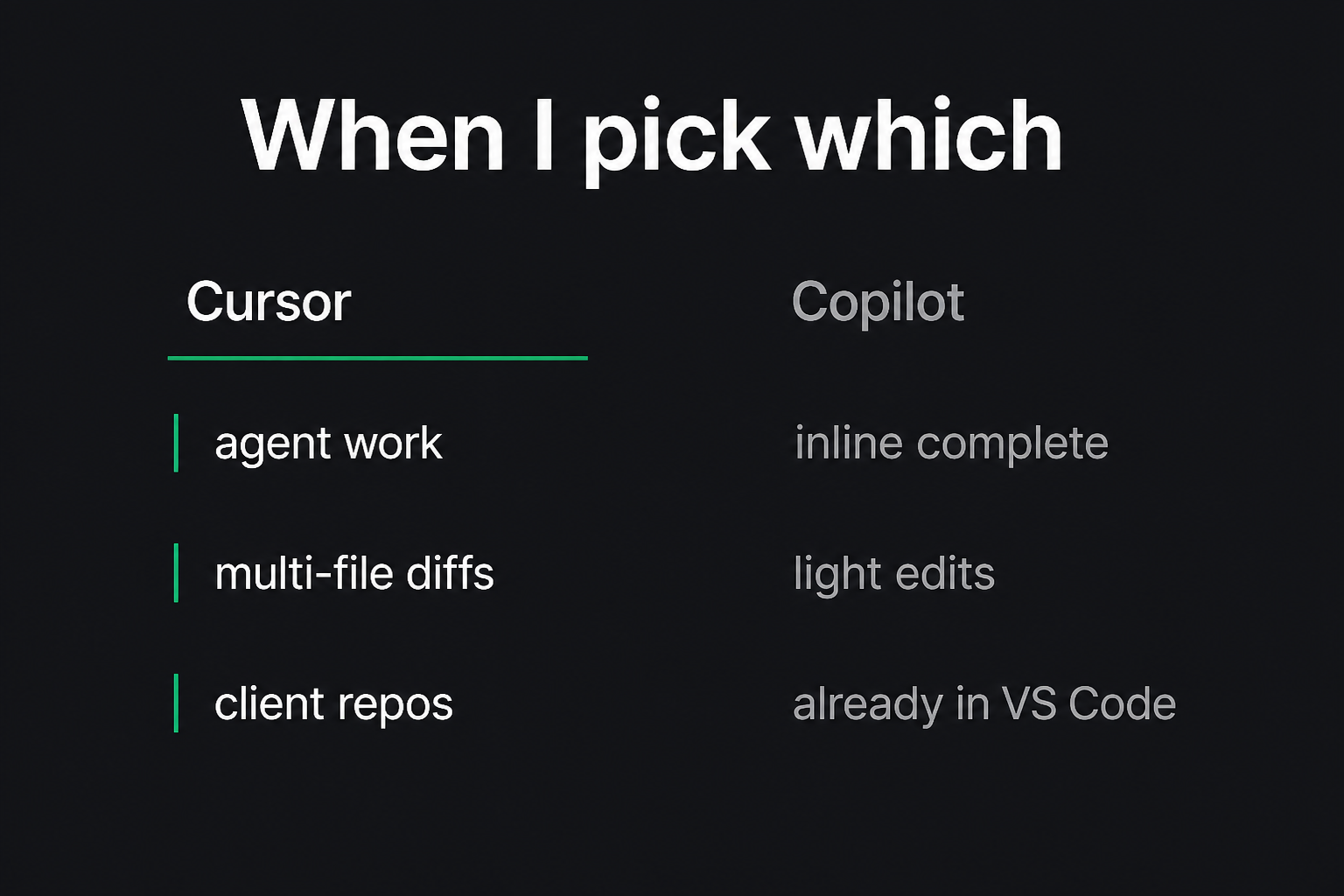
I pick Cursor when the change is a slice, not a line. New export on the invoices list. A refactor that touches a helper and three callers. A bug that lives in two packages. I need the agent to hold the plan, I need repo chat to find the call sites, I need a multi-file diff I can actually review. That is client work I will not do with Tab alone.
I pick Cursor when I do not know the repo yet. First week on a client codebase. I ask chat where auth happens, where the queue is wired, which test file owns this behavior. Grep still works. Repo chat is faster when the names are lying.
I pick Cursor when I am mentoring. If I am teaching a team a habit, I want one editor that can do chat, agent, and rules in the same place. I already wrote the plain-English bill in Cursor AI pricing. You pay for a seat and a usage pool. Spend that pool on the work that needs an agent, not on renaming a button.
Copilot is enough when I am already in VS Code and the work is local. A component I know. A test I can write from memory. A CSS tweak. A types fix. I do not need an agent to complete a map or to stub the next assertion. Opening Cursor for that is ceremony.
Copilot is enough when the team already standardized on VS Code and will not move. I do not start a religious war in week one of an engagement. If they have Copilot, I use Copilot for inline work and I keep Cursor on my machine for the slices I own. I do not force a migrate-the-editor project unless the agent work is the actual bottleneck.
Copilot is enough when I am pairing on a tiny change in someone else’s session. Their laptop, their VS Code, their Copilot tab. I am not going to install Cursor mid-call so we can rename a prop.
The split is boring on purpose. Cursor for scoped, multi-file, “I need the repo in the conversation” work. Copilot for inline complete in the editor you already have.
What I tell teams (don’t run both badly)
The failure I see is not “they picked the wrong logo.” It is two tools, no default, and nobody reviewing the diffs.
Don’t run both badly.
If everyone has Copilot and two people also have Cursor, you will get two styles of AI code in the same PR. One person accepts a 20-file agent pass. The next person tabs through a function and ships a different naming style. Reviewers cannot tell what was intended.
Pick a default.
- Default to Copilot if the team lives in VS Code, most work is local, and nobody is running agents yet.
- Default to Cursor if the team already wants an agent loop, you will write project rules, and you will review diffs like you mean it.
- Allow the other tool for a reason you can say out loud. “I used Cursor because this slice crossed three packages.” Not “I felt like it.”
Rules I give the same week:
- One owner per change. If an agent drafted it, that person can explain every file.
- Scope the context. Don’t paste the monorepo into a rename.
- Review like a human wrote it. Because you will maintain it.
- Don’t stack autocomplete from two vendors on the same buffer. You will accept the louder suggestion, not the right one.
- Budget the agent. Cursor usage is a pool. I covered that in the pricing post. Burning frontier models on boilerplate is how teams get a surprise bill and still ship messy code.
If you want help installing that habit, that is Level up. I sit with the team, we pick a default, and we practice the loop on a real repo. Not a slide deck.
Split the job, don’t pick a side
Cursor AI vs Copilot is a boring decision once you stop treating it as a fandom.
Use Cursor when you need an agent, a multi-file diff, or a chat that can see the repo. Use Copilot when inline complete in VS Code is the whole job. Use neither as an excuse to skip review.
If you want the production loop I run inside Cursor, start with How to use Cursor AI to ship faster without wrecking the codebase. If you want the plain-English bill before you buy seats, read Cursor AI pricing.
If you want a second pair of eyes on the workflow, I do that in Level up / Cursor mentoring.
Want your team shipping with Cursor like this?
I set up project rules and a review habit on one of your real repos, then help the rest of the team adopt it. English or Indonesian.
Get Cursor mentoring for your team

